Get SMS Code: Receive Online
- 4.5
- Rating
- 10.00K
- Installs
- Free
- Price

 Analysis by App-foxy
I tested Get SMS Code: Receive Online as a communication app built around one focused task: helping users activate accounts by receiving verification messages through virtual numbers. That narrow purpose is important. This is not a replacement for a normal messaging app, and it is not designed to become your everyday phone number. Its usefulness depends on whether you occasionally need a separate number for an online sign-up and whether the service you are registering accepts that kind of verification.
My first impression was that the concept is easy to understand. You open the app, choose a virtual number workflow, and wait for an incoming code. The store summary presents it as a way to activate accounts and receive SMS codes online, while the short description reduces the idea to “Get SMS Code.” In practice, that simplicity is both the attraction and the main limitation: when the process works, it can save time, but the app has little value for someone looking for full private communication, long-term number ownership, or a complete inbox.
How the app fits into real account verification
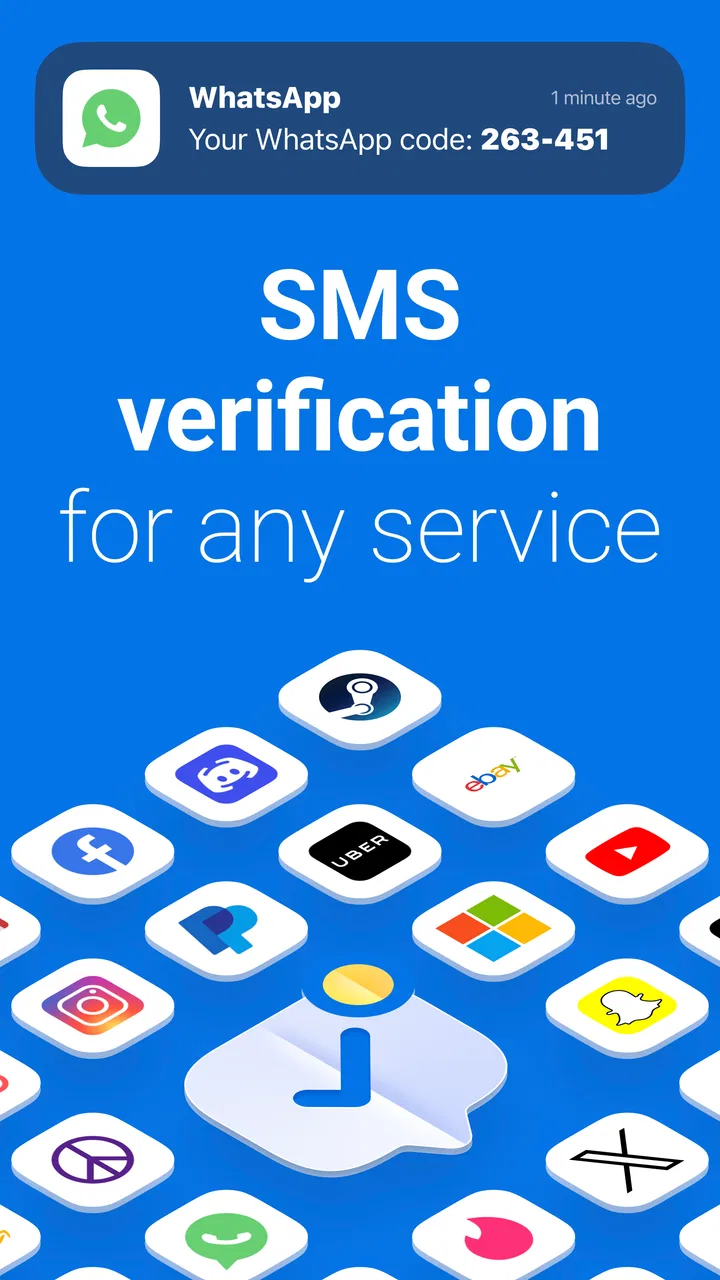
Many services ask for a phone number before allowing an account to be created, restored, or activated. That request can be inconvenient when I do not want to use my personal number, when I am testing a service, or when I need a separate identity for a temporary project. Get SMS Code: Receive Online is aimed at that specific gap. It provides access to virtual numbers intended to receive the one-time messages used during these sign-up steps.
You May Also Like

 Blood Strike: 2.5 Anniversary
Blood Strike’s Loadouts Turn Every Drop Into a Tactical Gamble
A close look at Blood Strike’s custom loadouts: how fast access to signature weapons reshapes its battle royale rhythm, rewards preparation, and narrows the gap between fights.

 Pandora - Music & Podcasts
Pandora’s Music Is Easy to Start, but Harder to Recover
Pandora’s strength is its low-effort path from a seed to a station. Its weak spot is how much confidence it asks you to place in connection, setup, and quiet recovery.

 8 Ball Pool
 Is Built on Rivalries, Rematches, and Routine
A close look at the rivalries, rematches, shared routines, and unanswered safety questions that turn a quick pool match into a persistent mobile community.

 Samsung Music
’s Quiet Strength Is Playing What You Already Own
Its reach comes less from spectacle than from dependable access to a personal library. That simplicity is both the app’s strongest retention engine and its ceiling.

 AccuWeather: Weather Radar
AccuWeather Review: A Quick, Clear Forecast for Everyday Decisions
For everyday plans, the best forecast is the one you can understand quickly. AccuWeather makes rain timing, radar, and local conditions easy to act on, with a few trade-offs.

 Hill Climb Racing
Why Hill Climb Racing Still Turns Crashes Into One More Run
A tiny car, a bumpy hill and one more upgrade: Hill Climb Racing keeps resurfacing because its simple chaos makes every near-miss feel personal.
More From Our News Desk
View All News


A realistic example would be a person setting up a short-term online project who wants to keep registration messages away from their personal phone. Instead of giving a main number to every new service, they can try a virtual number through this app, wait for the code, and enter it where requested. That workflow is more practical than creating a second mobile plan for a single activation, especially when the account is not expected to become part of the user’s long-term digital identity.
There is an important distinction between receiving a code and owning a dependable phone number. I would treat the number inside this app as a temporary verification tool, not as a permanent contact address. If an account later requires recovery by SMS, repeated logins, two-step authentication, or support confirmation, relying on a number that is not under your long-term control can create avoidable trouble. For important accounts, my usual advice is to use a personal or dedicated number that you can reliably access later.
The app belongs to the communication category, but that label should not lead anyone to expect chats, calls, contact management, or a conventional SMS inbox. Its communication role is transactional: a service sends a message, and the app is used to receive the code. That makes it more specialized than familiar alternatives such as a carrier number, a second SIM, or a mainstream messaging platform.
What the free access actually means
The app is free to download and use as an entry point, which makes trying the basic idea relatively easy. At the same time, it includes in-app purchases ranging from forty-nine cents to nineteen dollars and ninety-nine cents per item. That pricing detail changes how I judge its value. The free label does not mean every number, activation, or extended use is necessarily included without charge; it means the app itself can be obtained without an upfront purchase.
I would therefore approach the first session as a test rather than assuming unlimited free verification. Before depending on a number for an important registration, I would check what the app presents at the moment I need it, whether the selected option requires a purchase, and whether the total cost makes sense compared with using a spare SIM or an existing secondary line. The lower-priced purchase may suit an occasional activation, while the highest listed item is a much more serious expense for a narrowly defined task.
That is also why I would not describe the app as automatically cheap. A free download with optional purchases can be excellent value for a one-off need, but poor value if I repeatedly pay for numbers that are rejected, expire before use, or cannot be reused for later account recovery. The app’s value is tied to successful delivery and the importance of the account I am trying to activate, not simply to the fact that it appears in the free section of an app store.
The developer is APPSTER LTD, and the app is currently at version 1.0. It was released on February 24, 2026, so I would keep expectations realistic when comparing it with mature services that have had more time to refine their processes. Its store presence shows an average rating of 4.5 from around one thousand two hundred ratings, along with twenty-eight written reviews. Those figures suggest encouraging early interest, but they do not remove the need to judge each verification attempt on its own merits.
The workflow I would use before spending anything
My preferred approach is to separate low-risk testing from important account creation. First, I would decide whether the target service permits virtual or online numbers. Some platforms accept them, while others recognize number ranges associated with temporary services and reject them. That decision belongs to the service requesting the code, not to the app alone, so a successful purchase cannot guarantee acceptance everywhere.
Next, I would prepare the registration screen before selecting a number. This avoids paying for access and then leaving the number unused while I search through a complicated sign-up process. I would also keep the code request visible, use the number promptly, and avoid repeatedly requesting new messages unless necessary. Multiple attempts can make a service suspect unusual activity, and changing numbers mid-process can make it harder to know which code belongs to which request.
A useful habit is to record the account’s recovery options immediately after activation. If the service supports an authenticator, recovery email, backup codes, or another method, I would add one while the account is accessible. That turns the virtual number into a temporary bridge rather than the only key to the account. This is one of the most important practical trade-offs: the app may solve the initial SMS step, but it should not become the entire security plan for anything valuable.
I would also avoid using the same virtual number across unrelated accounts unless the app and the receiving services clearly support that workflow. Reuse can create confusion, expose connections between registrations, or leave a future account tied to a number I can no longer access. For a disposable test account, that may be acceptable. For work, banking, identity, or personal records, I would choose a more durable option.
Where it saves time and where it adds friction
The strongest part of the experience is its focused purpose. If I need a code and do not want to expose my everyday number, a dedicated virtual-number app is more direct than arranging a second contract or moving a SIM between phones. The idea is especially useful for testing a new service, separating a short-lived project from personal communications, or handling a sign-up when a spare mobile line is unavailable.
The friction comes from uncertainty around the receiving service. A code can be delayed, a number can be unavailable for the desired destination, or the external platform can refuse the number altogether. These are not small details; they determine whether the purchase delivers anything useful. I would be comfortable experimenting with a low-cost activation, but I would hesitate to buy a higher-priced option until I knew the target service accepted this kind of number.
Another trade-off is continuity. A normal carrier number is usually better for repeated access because it remains associated with me and can receive future recovery messages. A virtual number is more convenient when privacy or separation matters more than permanence. Choosing between them is not simply a question of which app has the nicer interface; it is a decision about how much control I need after the first verification.
There is also a privacy nuance. Avoiding my personal number can reduce the amount of personal contact information I hand to a new service, but a virtual number should not be treated as a guarantee of anonymity. I would avoid entering sensitive details into any temporary account workflow and would never use this kind of arrangement to bypass rules, impersonate someone, or create accounts that violate a platform’s terms. The responsible use case is separation and convenience, not evasion.
Who is likely to get genuine value
I think the app is most suitable for occasional users who understand the limits of SMS verification. A freelancer testing a client-facing tool, a developer checking a registration flow, or a person creating a temporary account for a non-critical service may find the concept worthwhile. In these cases, the user can accept that the number is mainly for the first activation and can add a different recovery method afterward.
It may also help people who travel, use separate devices, or do not want every new service connected to their primary number. The benefit is not that the app replaces a mobile plan; it is that it offers another route when a personal number is inconvenient. The free download lowers the barrier to investigating that route, while the purchase range gives users a way to decide how much a particular activation is worth.
I would skip it if I needed a permanent business line, a number customers could call, or reliable access to future SMS messages over a long period. I would also choose a carrier SIM or a dedicated secondary line for banking, government services, password recovery, employment accounts, and anything that could cause serious harm if access were lost. Those situations reward continuity and ownership more than short-term convenience.
It is also not the right choice for someone expecting a normal messaging experience. If your goal is to chat with friends, send regular texts, manage a contact list, or make calls, a standard messaging or calling app is a better fit. The same is true if you want a privacy-focused messenger with end-to-end conversations; receiving an activation code is a very different job from protecting ongoing communication.
How it compares with the usual alternatives
The simplest alternative is using a personal mobile number. That option is usually the most dependable for account recovery, but it gives the service a direct connection to a number you may prefer to keep private. It also offers little separation between personal registrations and temporary experiments. Get SMS Code: Receive Online is more appealing when that separation matters and the account is not important enough to justify a permanent second line.
A second SIM or low-cost carrier line is the stronger alternative when I need repeated access. It normally involves more setup and an ongoing expense, yet it gives me better control over the number and makes future verification less dependent on a temporary allocation. For a business, long-term project, or account with valuable data, that extra stability can outweigh the convenience of an app-based purchase.
Public SMS websites are another familiar option, but they are a poor match for sensitive registrations because messages may be visible to other visitors or associated with numbers that many people have already used. A private virtual-number workflow can be more convenient than a public inbox, although I would still avoid treating any temporary number as suitable for confidential account recovery. The right comparison is not only speed; it is also control, reuse, and the consequences of losing access.
Messaging apps with phone verification do not solve the same problem. They may provide excellent conversations after registration, but they generally expect a number that can be verified and, in some cases, recovered later. Get SMS Code: Receive Online is better understood as a utility used before communication begins, not as the communication service itself.
Compatibility, age rating, and practical expectations
The app supports devices running Android 6.0 or later, which covers a broad range of Android phones and tablets. Its content rating is Everyone, so the subject matter itself is not presented as restricted to adults. That does not mean every registration made through it is appropriate for every user, though. Account rules still depend on the external service, and younger users should understand that a temporary number may not be suitable for accounts they need to recover independently.
Because the current version is 1.0, I would pay close attention to the exact behavior during a real attempt. A first release can be perfectly usable, but it is sensible to keep the process simple, avoid committing money before checking the target service, and maintain a backup plan. If the account matters, I would have an alternative verification method ready rather than assuming the first number will work.
One practical question is whether the app can guarantee delivery. I would not make that assumption. The message has to travel through the external service, the selected number, and the app’s receiving process, so several points can affect the result. If a code does not arrive, I would first verify the number, wait briefly without spamming requests, and then consider whether the destination rejects virtual numbers. Paying again immediately is not always the smartest response.
Another question is whether a number can be used for later recovery. I would treat that as unsafe to assume. Unless I know I can access the same number again when needed, I would not make it the sole recovery method. Adding backup codes, an email address, or an authenticator after activation is a much better workflow for any account that matters.
My value judgment after weighing the trade-offs
For me, the app’s value is conditional but real. Its free entry point makes it reasonable to explore, and the focused design addresses a specific nuisance that a normal messaging app does not address. The purchase range means I would evaluate each activation separately rather than calling it a universally inexpensive solution. A small payment may be sensible when it prevents the need for a second mobile line; a larger payment deserves much more caution when the target service may reject the number or when long-term recovery is important.
The most useful insight is that success should be measured after the account is secured, not when the first code arrives. If I receive the SMS but later lose access because I never added another recovery option, the initial convenience was not a complete solution. I would use the app as a controlled first step, then move the account toward a recovery method I can maintain.
I also appreciate that the app’s narrow focus can reduce unnecessary complexity. I do not need a full communications suite to receive one verification message. However, that same narrow focus means there is no reason to keep it installed if I rarely create accounts or already have a reliable secondary number. Its usefulness is situational rather than something I would expect to use every day.
My recommendation before you choose download or purchase
I would recommend trying Get SMS Code: Receive Online when you need a temporary verification route, the destination service allows virtual numbers, and you are prepared to add a stronger recovery method afterward. Start with the free installation, read the purchase details shown for the specific number you need, and compare that cost with the value of the account and with the price of a more permanent alternative.
I would skip it for important accounts, repeated business communication, emergency contact, or anything that must remain recoverable for years. In those situations, a personal number or dedicated secondary line is the safer investment. I would also skip it if my only goal were ordinary texting, since the app’s purpose is receiving activation messages rather than managing conversations.
Overall, I see this communication utility as a useful specialist tool rather than a complete phone-number solution. Its 4.5 average from around one thousand two hundred ratings is encouraging, and its free availability makes a cautious trial reasonable. Still, the purchase range, the dependence on outside services, and the temporary nature of virtual verification require sensible expectations. Use it for separation and short-term activation, not as the foundation of your digital identity. With that boundary in mind, I would recommend it to the right user, while steering anyone who needs permanence toward a real secondary mobile line.
FAQs for Get SMS Code: Receive Online
01What is Get SMS Code: Receive Online used for?
Get SMS Code: Receive Online is designed to help users receive verification messages through online phone numbers. It may be useful when a website or app requires an SMS code for registration, login, or account confirmation. Availability depends on the country, service, and number provided, so it should not be treated as a guaranteed replacement for a personal mobile number.
02Is Get SMS Code: Receive Online free to use?
The app may offer some numbers or basic features at no cost, but access to specific countries, private numbers, longer availability, or additional SMS requests can require payment. Before using a number, check the displayed price and any subscription details carefully. In-app costs and availability can change, so reviewing the current terms in the store listing is recommended.
03Can I use these numbers for WhatsApp, Telegram, or other services?
You may be able to use an available number for certain platforms, but acceptance is not guaranteed. Many services block public, recycled, or virtual numbers, and some verification codes may never arrive. Numbers can also be shared or later reassigned, making them unsuitable for important accounts, two-factor authentication, banking, recovery options, or any service containing sensitive personal information.
04Are the SMS messages and verification codes private?
Privacy depends on the type of number and the provider’s system. Public or temporary numbers may allow other users to view incoming messages, while private numbers may offer stronger separation. Avoid sending confidential information through the service, and never use a temporary number as the only recovery method for an account. Read the app’s privacy policy before accepting permissions or purchasing access.
05What should I do if the verification code does not arrive?
First, confirm that the selected country and phone number match the service you are trying to verify, then wait for the full delivery period before requesting another code. Repeated requests can trigger rate limits or invalidate earlier messages. If the SMS still does not appear, try another available number or contact support. Some websites simply do not support online or virtual numbers.
Pros
- Quick access to temporary numbers for receiving verification texts.
- Useful for testing apps without exposing your personal phone number.
- Simple interface makes selecting a country and number straightforward.
- Can help when traveling or lacking access to your primary SIM.
- Messages usually appear directly in the app for easy copying.
Cons
- Public numbers may be shared
- so received codes are not fully private.
- Some services block temporary numbers during account registration.
- Available numbers and supported countries can change frequently.
- Important accounts should not rely on numbers you may later lose.
- Ads or paid options may be required for certain numbers or features.

Get SMS Code: Receive Online
Gallery